The First Agentic CLI with Deep Code Intelligence - Auggie 🎉
This is how Auggie helped me bring AI power right to where I actually build: My terminal

Hello Everyone
Welcome to your AKVAverse, I’m Abhishek Veeramalla, aka the AKVAman, your guide for Cloud, DevOps, and AI.
Recently, I moved from the Cursor to Augment Code because I really wanted something that could truly understand my large codebase and grasp every feature of my application.
For the last few months, Augment Code has been my go-to; it’s super crazy good at handling the depth and complexity of real-world projects.
But I usually spend more time in the terminal than in VSCode. And if you’re like me, you know that is where the real work happens: deployments, debugging, CI/CD triaging, and those tiny but critical fixes that keep projects moving.
I was eagerly waiting for a CLI-based agentic AI that could run natively in my terminal and Last week, Augment Code released Auggie CLI 🥳🥳, the first Agentic CLI, and after putting it to my terminal, I can say it’s genuinely amazing. From pipeline debugging, writing YAMLs to fixing dangling UI bugs, adding test cases, or even building a complete website with a single prompt.
Auggie CLI handles it all effortlessly. These are just a few examples; there’s a lot more waiting for you with Auggie
What is the Augment Code Agentic CLI (Auggie)?
Auggie brings the full power of agentic AI straight to your terminal, the place where real coding happens. Unlike a simple chat agent attached to a command line, Auggie understands your entire codebase and all its context, not just a few files at a time. This gives deep AI-powered code review, GitHub Actions, and context-aware support for everything from scripting to multi-repo orchestration.
Why I Love Auggie
I love Auggie because I work with huge, complex codebases that span hundreds of thousands of files, years of evolving architecture, and ever-changing teams. Augment Code is the only AI tool that naturally handles this scale, bringing in just the right context exactly when I need it. I appreciate how secure, auditable, and enterprise-ready it feels, but what really stands out in daily use is how effortlessly it understands my code.
Installing Auggie CLI
Getting started is super simple if you want to boost your terminal workflow like I did. Just make sure you have Node.js version 22 or higher installed. Then, in your terminal, run this command to install Auggie globally
npm install -g @augmentcode/auggieNext, head over to your project directory:
cd /path/to/your/projectAfter that, log in or create an account by running:
auggie --loginOnce you’re set up, just type auggie to bring up the interactive AI assistant right in your terminal. You can also send direct commands like:
auggie "Create a new feature"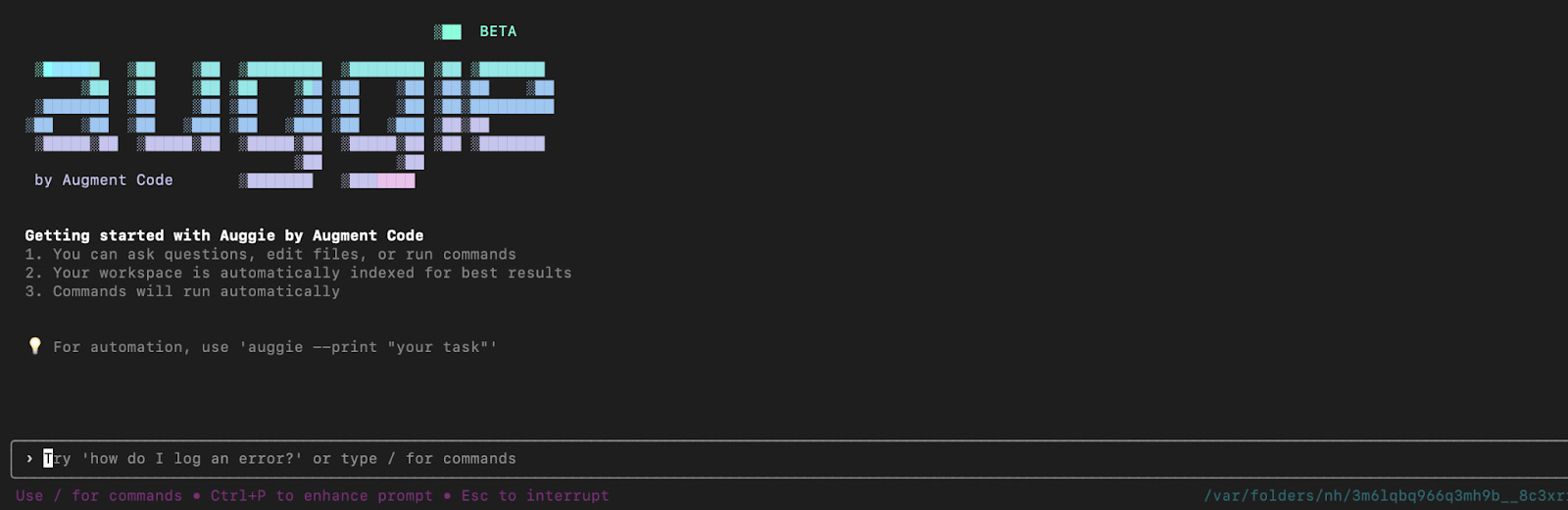
Auggie also has automation modes that fit perfectly into CI/CD pipelines or any scripting you want to do.
My Real Experiences Putting Auggie to the Test
1. Building a Complete End-to-End Website
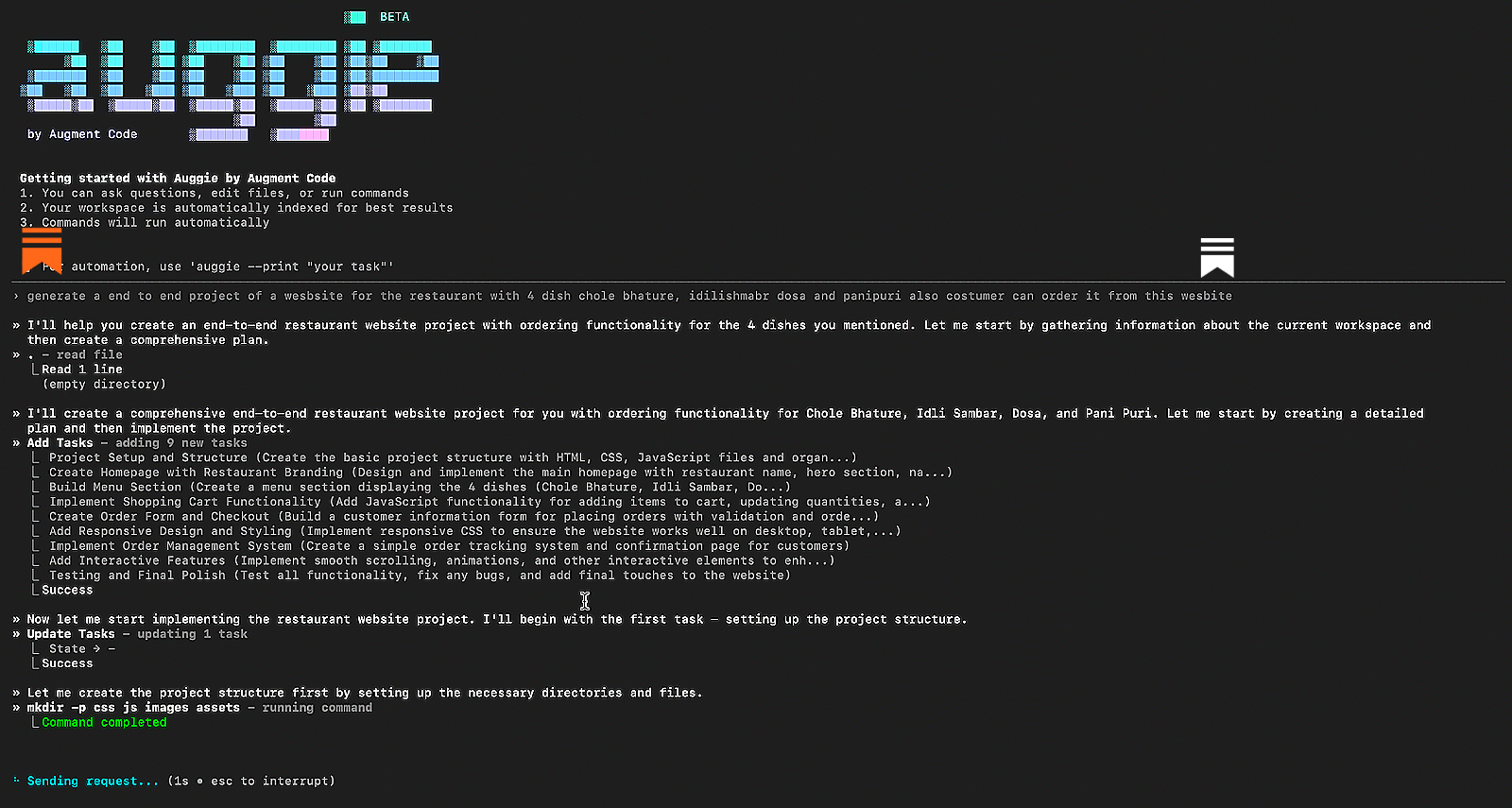
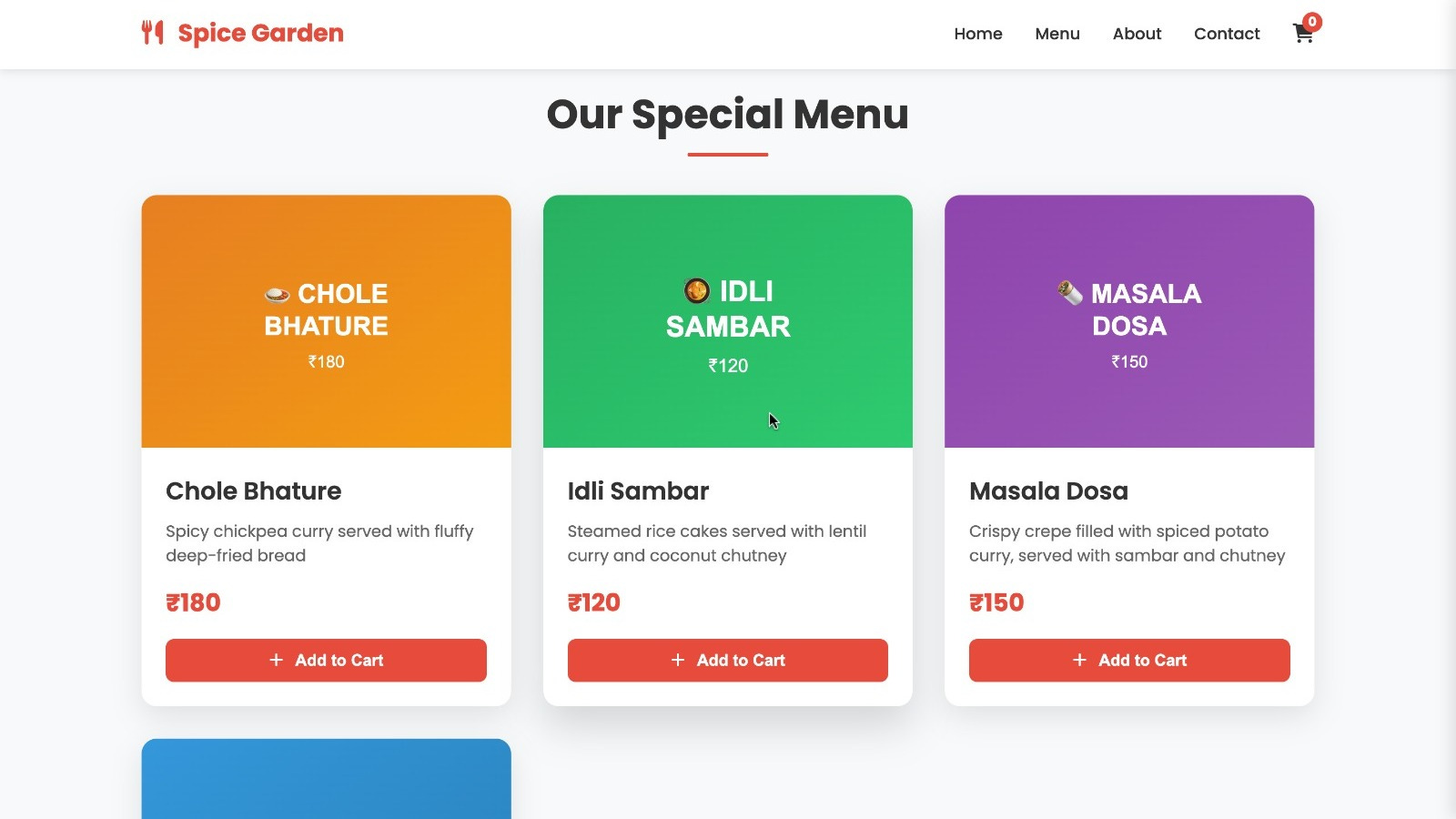
I was amazed when I asked Auggie to build a complete restaurant website featuring menu pages for four popular dishes like Chole Bhature, Idli Sambar, Dosa, and Panipuri, with a full ordering system right on the site. It began by understanding the current workspace and then laying out a clear, detailed plan. The project was broken down into simple, logical steps: setting up the structure, designing a welcoming homepage, creating the menu, adding a shopping cart, building order forms and checkout, managing orders, and polishing everything with responsive design and interactive touches. Auggie then quickly put together all the files, HTML, CSS, JavaScript, placeholder images, and even documentation making everything ready to launch. The speed and attention to detail totally blew me away!
Below are screenshots showing Auggie in action as it generated the full backend and frontend code for the restaurant website, including the order management features.

2. Auggie as a Frontend Developer
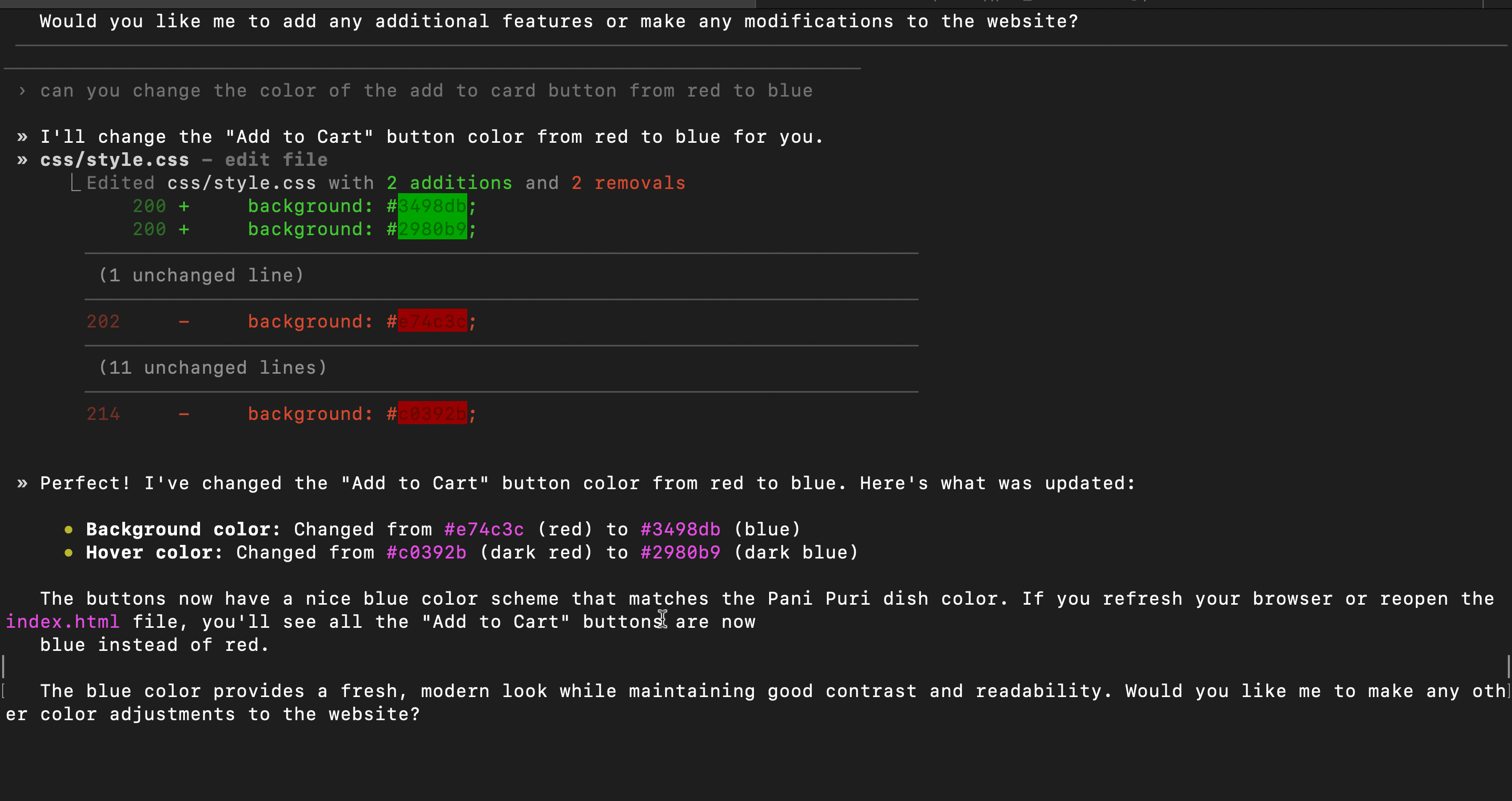
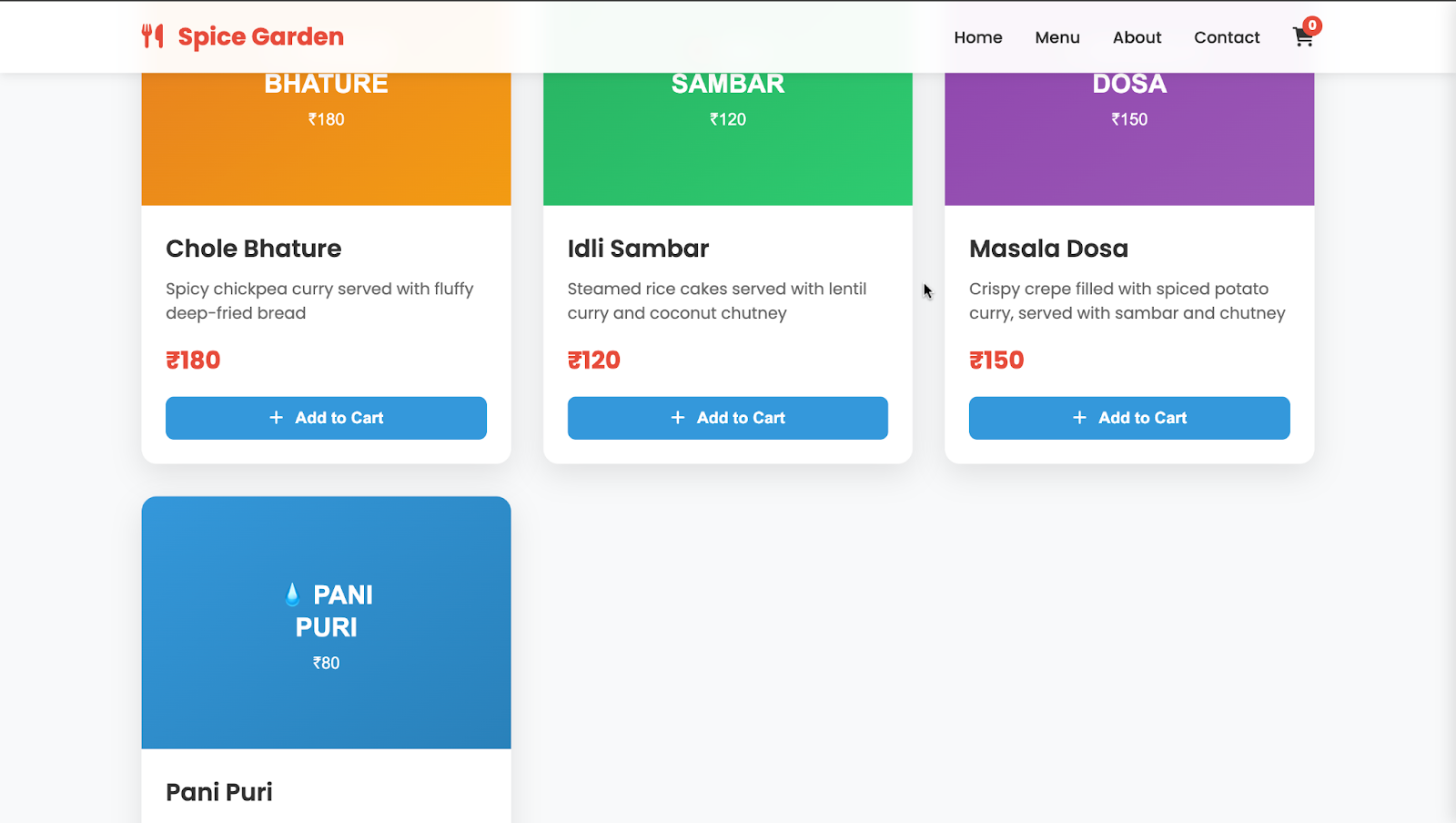
I asked Auggie to switch the “Add to Cart” button color from red to blue, and it did it in a flash! It quickly updated the css/style.css file, changing the background from bright red to a vibrant blue and the hover effect from dark red to a cool dark blue. The buttons now sport a fresh, modern blue that perfectly matches the Pani Puri dish, giving the whole site a sleek and cohesive look. I refreshed the browser, and just like that, the buttons were updated instantly.
Here’s what Auggie did
3. Auggie as a DevOps Engineer
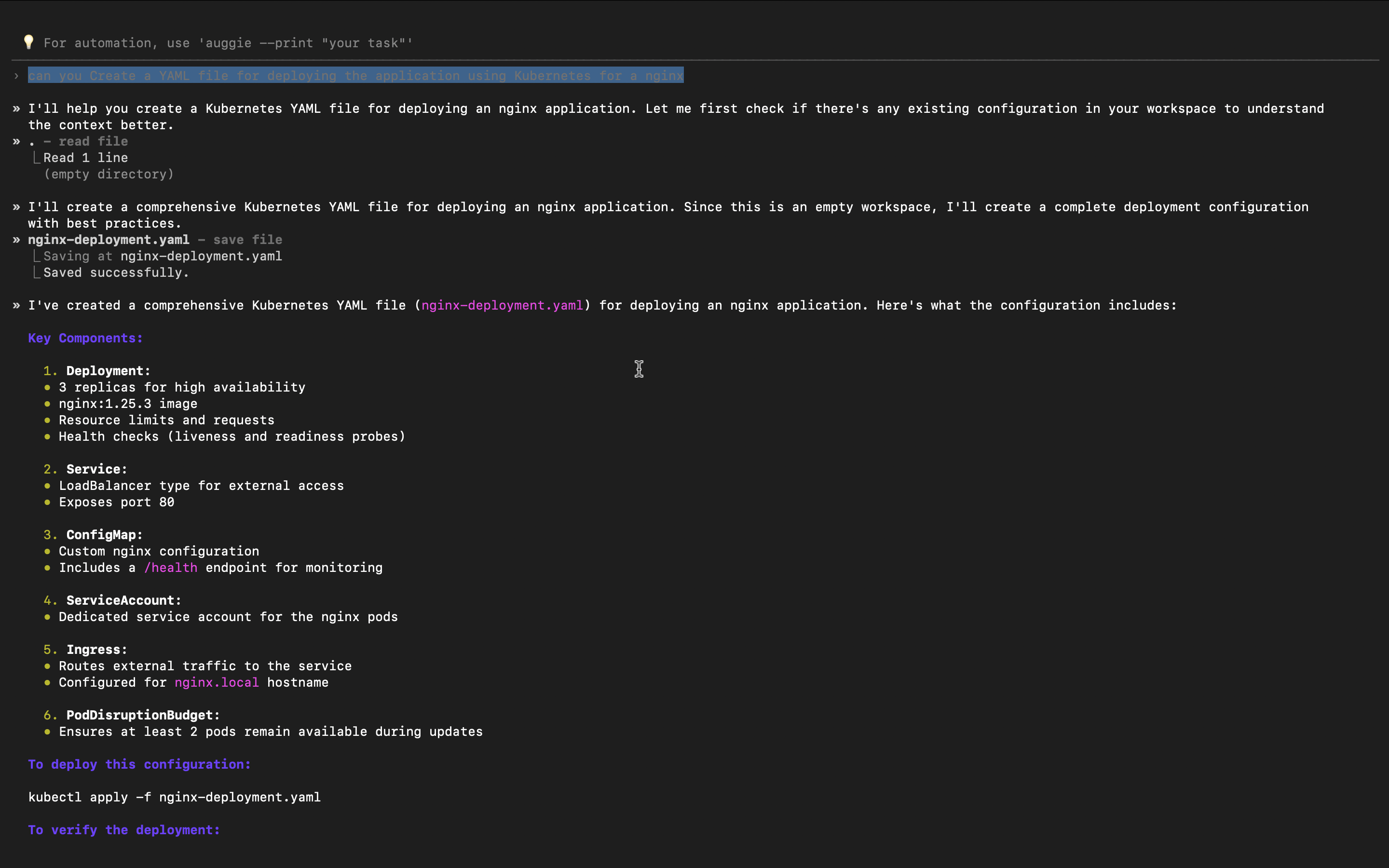
I asked Auggie to create a Kubernetes YAML file to deploy an nginx application, and it nailed it instantly! It checked my workspace, saw it was empty, and then whipped up a full deployment config packed with all the essentials like 3 replicas for high availability, the nginx image, resource limits, health checks, a LoadBalancer service on port 80, a custom ConfigMap, a dedicated ServiceAccount, Ingress setup for nginx, and even a PodDisruptionBudget to keep things running smoothly during updates. It handled everything just like a seasoned DevOps engineer with over 10 years of experience.
A Thought to Leave You With
Last week was a turning point for me.
For the last few months, I have leaned heavily on Augment Code because of its unmatched ability to handle large, complex contexts. But now, with their latest release, Auggie CLI, I finally have that same agentic AI power right inside my terminal.
And honestly, it changes everything.
I don’t see Auggie as just another product from Augment Code. For me, it’s becoming a daily partner, one that helps me build, debug, and ship faster, all from the command line.
And if you spend even a fraction of your day in the terminal, you owe it to yourself to try it. Once you see how smoothly Auggie fits into your workflow, you won’t want to go back.
Start small, stay curious, and get hands-on.
Until next time, keep building, keep experimenting, and keep exploring your AKVAverse. 💙
Thanks Augment Code, for collaborating on this deep dive.
Abhishek Veeramalla, aka the AKVAman
It read entire my cluster and fixing pods that really required actual effort of an hour and fixing like a pro in a second.
Awesome brother for experimenting the auggie cli from your end and helping us to implement it from our side. You are an amazing leader brother.